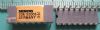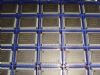
Purchase SDA5273-2C, In-stock SDA5273-2C From SeekIC.
MFG:INFINEON


Part Number: SDA5273-2C
MFG: INFINEON
Description: The SDA 5273-2C is a powerful one-chip videotext decoder with all the display features of his "big bro...
MFG:INFINEON


MFG: INFINEON
Description: The SDA 5273-2C is a powerful one-chip videotext decoder with all the display features of his "big bro...
The SDA 5273-2C is a powerful one-chip videotext decoder with all the display features of his "big brother" SDA 5273 but with a very simple command interface for reduced external software.
The whole documentation of the MEGATEXT® SDA 5273 is also valid for COMPACTTEXT SDA 5273-2C except for the differences which are described in chapter 1.2 "Differences to the MEGATEXT® Volume 1 Documentation" on page 9.After power-on of the system, the setup parameters for CTX must be initialized by the external controller. These setup parameters are read every time when necessary by the SDA 5273-2C. The complete page management is done on chip. TOP and FLOF detection is done automatically, as well as the acquisition of packet 8/30/1, 8/30/2 or VPS and WSS data. The initial teletext page is taken from packet 8/30 (if present) or from the setup parameter or from the 5th FLOF link (if present).
The user has several choices to enter a page request. One way is entering a page number for a new display page with the "DIGIT" commands. It is also possible to enter a page request by a "page catching" or with the colour keys RED, GREEN, YELLOW,and CYAN. These keys have different meanings depending on the current request mode(simple, TOP, FLOF). In all cases only the new display page has to be entered and all following page requests are automatically done by the firmware depending on the current mode.
Some additional status information is also available (i.e. TOP, FLOF, page found.) for generating individual messages like "page xxx not broadcasted" by the external controller (return parameter).
For page acquisition a maximum of 10 pages (+ 2 chapters for x/26) is available. After reset, the SDA 5273-2C is in the "simple mode", that means the initial page (page 100) and the following 9 pages are requested. The processor will start with the picture mode. SDA 5273-2C automatically changes to the page trace mode as soon as the page trace is stable.
The user has the possibility to block up to 4 of the 10 available pages (with the list page command) for so-called favourite or list pages. These pages are favourite page numbers of the user, programmed for each program individually, and stored for example in the NVM of the TV. These pages can not be removed by the automatic TOP or FLOF requests. In the list mode, a special menu in row 24 can be generated for easy page selection by use of the remote control's colour keys.
In TOP mode, the BTT and a given number of AITs are immediately requested. Then the memory is filled with the next block page, group page and so on (see below). A standard TOP title is also written to row 24 of the display memory. TOP mode is only switched on automatically if more than 10 pages are marked in the BTT.
SDA5273-2C
PDF/DataSheet Download